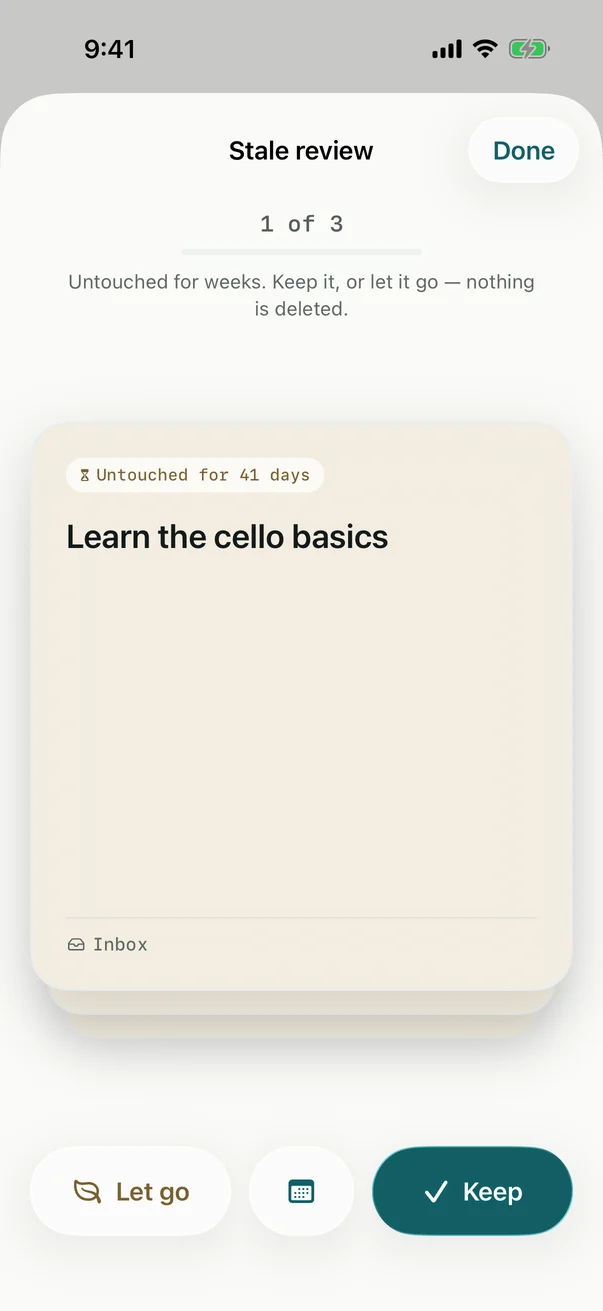
Billine doesn’t let old tasks pile up or turn red. When you leave a task alone long enough, it fades, then lands in the Stale review.
Open it
- Tap the card on Today that says how many tasks want a decision.
- Or open Stale review in Browse on iPhone, or under Review in the sidebar on iPad and Mac.
- Or press ⌘⇧R, or ask Siri to “Open Stale review in Billine”.
Decide on each card
Each card shows a task and how long it’s been untouched, oldest first.
| To | Swipe | Key |
|---|---|---|
| Keep it, and reset its clock | Right | → |
| Let go of it, to the Graveyard | Left | ← |
| Schedule it: Today, Tomorrow, Weekend or Next week | Up | ↑ |
Undo with ⌘Z or the message at the bottom: the last card comes back. When the deck is empty, Billine says All caught up.
When a task counts as stale
A task is stale once it’s gone untouched for longer than Stale after, in Settings › Graceful decay: between 7 and 120 days, 30 unless you change it. Any change to a task counts as a touch and starts its clock again. Before then, rows fade a little as they age, so you can see what’s going quiet.
Nothing is deleted along the way. Tasks you let go wait in the Graveyard, and Restore brings any of them back.
Checked against Billine 1.0