- Open the task.
- Under Attachments, tap Add Photo (up to 10 photos or videos at once) or Add File. On iPad and Mac you can also drop files anywhere on the task.
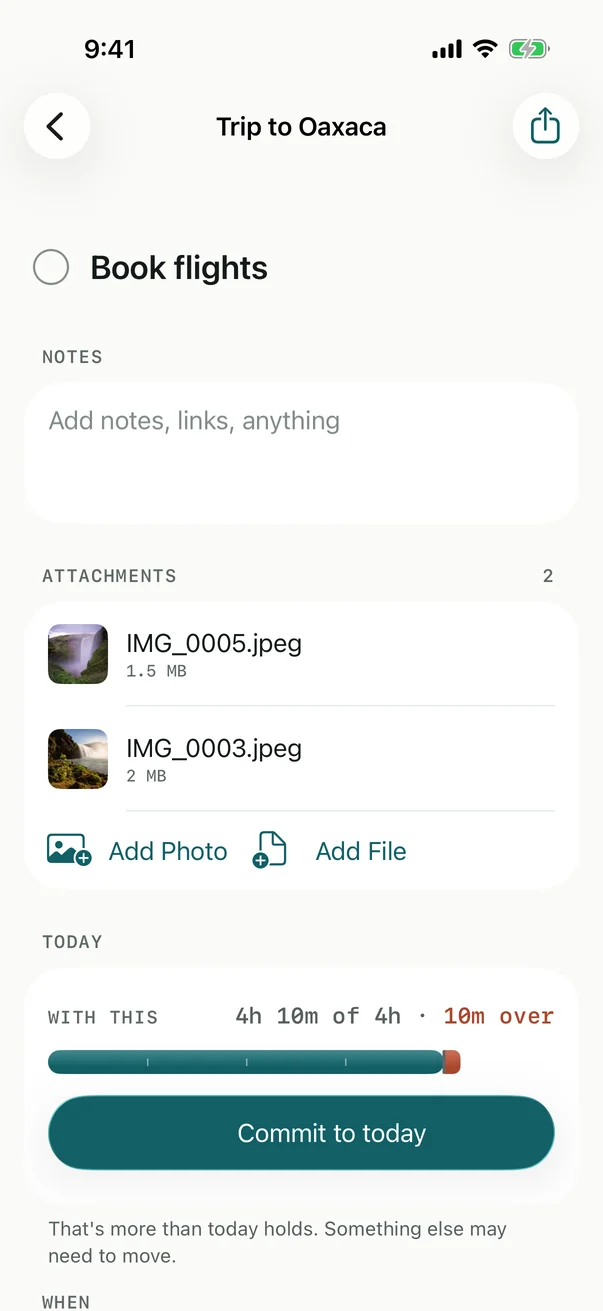
Photos come through the system’s own picker, which hands Billine only what you choose; Billine never asks for your photo library.
Open, share or remove
Tap an attachment to open it in Quick Look. Touch and hold it (or right-click) for Quick Look, Share and Remove. Removing one can be undone.
Good to know
- Each file can be up to 100 MB.
- From the share sheet in Photos or Files, choosing Billine attaches what you shared to a new task. See Share to Billine.
- With Billine Pro and iCloud sync, attachments go to your other devices and count toward your iCloud storage. A file still on its way shows Coming from iCloud.
- Exports don’t include attachments. To keep one, open it and use Share.
Checked against Billine 1.0